


About this app
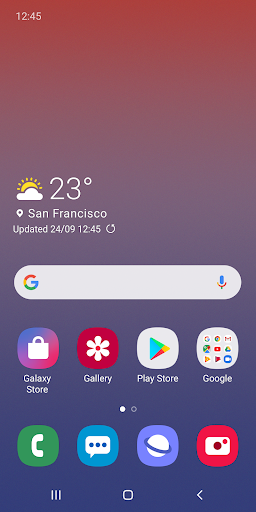
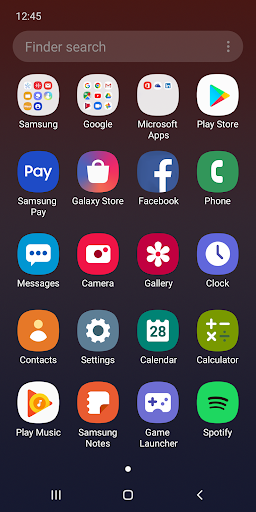
One UI Home is a launcher app for Galaxy devices, providing a clean interface and organized icons. It enhances the home and app screens for a familiar yet improved user experience on Samsung phones.
Key features
Full screen gestures
Use full screen gestures on the home screen to hide navigation buttons. Quickly switch between apps for an expanded home screen view without accidental button presses.
Lock Home screen
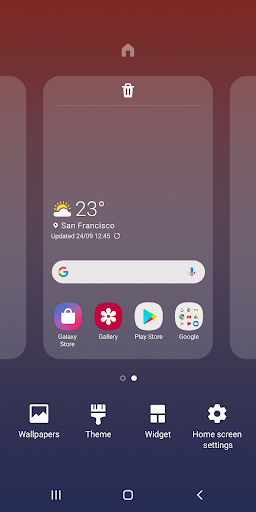
Lock your home screen layout to prevent accidental page additions or icon repositioning. This feature helps maintain your organized app setup.
Quick access menus
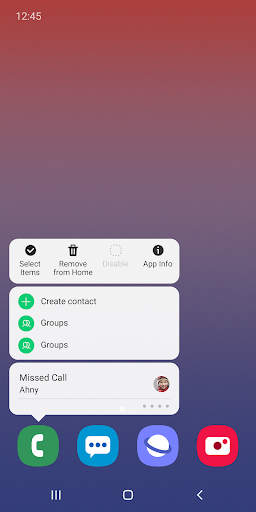
Touch and hold app icons or widgets to quickly access their respective info or settings screens. This saves time by skipping multiple menu navigations.
How it works
- Open the app to view your customized home screen.
- Touch and hold an app icon or widget for quick access options.
- Navigate to Home screen settings to enable features like locking the layout.
Who it is for
- Samsung Galaxy device owners seeking a streamlined interface.
- Users who prefer gesture navigation over traditional buttons.
- Individuals wanting to protect their home screen layout from accidental changes.
- People looking for faster access to app and widget settings.
Important information
- The app requires an Android 9.0 Pie or later version for certain features.
- Optional permissions for storage and contacts are needed for layout restoration.
- Refer to your device settings for managing app permissions.
Overall assessment
One UI Home offers Galaxy users enhanced home screen management with gesture navigation and layout locking. It's ideal for those seeking customization and efficient access to app functions on their Samsung devices.