





About this app
Widgets OS 17 - Color Widgets is an Android app for customizing your phone's home screen with aesthetic widgets. It helps users personalize their device by adding custom widgets with various content and themes.
Key features
Custom Widget Creation
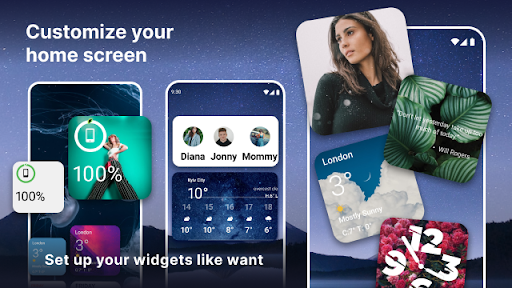
Design personalized widgets with custom fonts, colors, and themes. Users can add their favorite photos, making their home screen unique and visually appealing.
Variety of Widget Content
Access diverse widget types like calendars, clocks, quotes, and counters. This offers practical information and aesthetic elements directly on the home screen.
Photo Widget Feature
Incorporate personal images into widgets to create a photo display. This feature allows users to keep cherished memories visible on their phone's main screen.
How it works
- Open the Widgets OS 17 - Color Widgets app.
- Select and customize your desired widget type and content.
- Add the configured widget to your phone's home screen.
Who it is for
- Users wanting to personalize their Android home screen.
- Individuals who enjoy adding custom visual elements to their phone.
- People who like displaying photos or quotes on their home screen.
- Users looking for functional widgets like clocks or calendars.
Important information
- Ensure the app is allowed to run in the background for widgets to refresh correctly.
- The app offers free widgets, with additional premium options available.
- Refer to the official store listing for the latest compatibility and permission details.
Overall assessment
Widgets OS 17 - Color Widgets allows Android users to enhance their home screen with custom widgets. It offers a variety of content and personalization options, appealing to those who value aesthetic customization and quick access to information.