

About this app
Microsoft Launcher offers a personalized Android home screen experience, enabling enhanced productivity. It allows users to customize their interface and access key information easily.
Key features
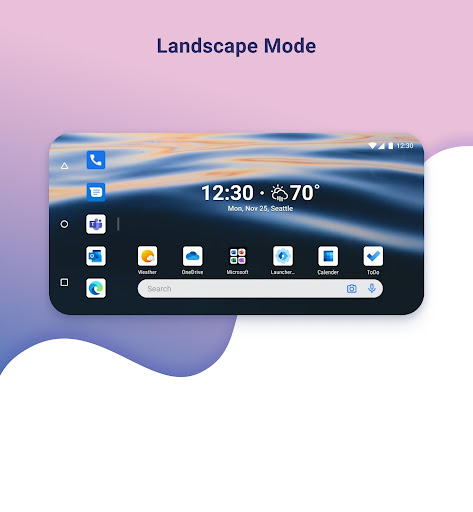
Customizable Icons
Personalize your phone's appearance with custom icon packs and adaptive icons, ensuring a consistent and unique look across all your applications and home screen.
Personalized News Feed
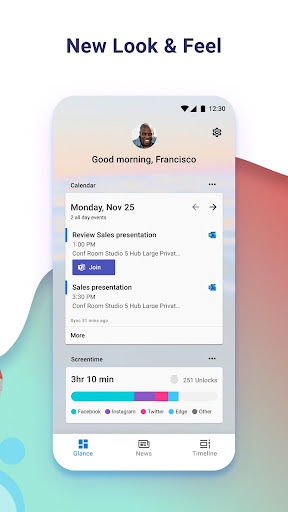
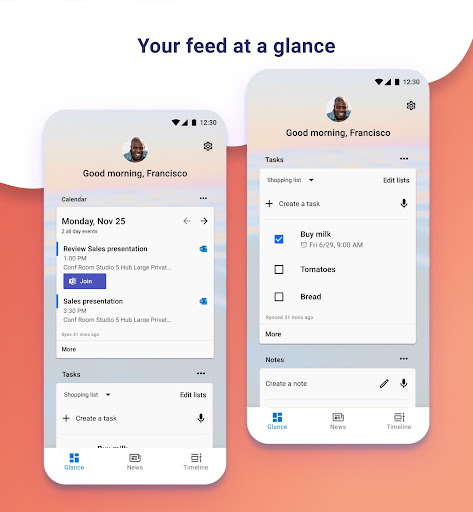
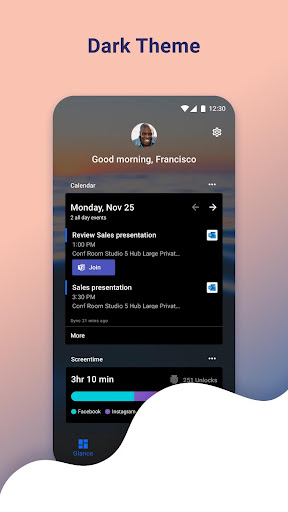
Access relevant news, calendar events, and to-do lists directly from your home screen, saving time and keeping you informed about your day's priorities.
Dark Theme Support
Reduce eye strain and improve usability in low light conditions with a comfortable dark theme that complements your device's Android dark mode settings.
How it works
- Download and install Microsoft Launcher from your device's app store.
- Set it as your default home screen experience, choosing to import your current layout or start fresh.
- Customize icons, wallpapers, and feeds to create your personalized productivity hub.
Who it is for
- Users seeking a more organized and productive Android home screen.
- Individuals who enjoy personalizing their mobile device's appearance.
- People who want quick access to news, calendar, and to-do lists.
- Android users looking for enhanced navigation and customization options.
Important information
- Microsoft Launcher requires Android 7.0 or higher.
- Some features may be restricted if optional permissions are not granted.
- Users should check the official store listing for the most current permission requirements and details.
Overall assessment
Microsoft Launcher provides a highly customizable home screen for Android, boosting productivity through personalized feeds and adjustable icons. It suits users wanting a tailored mobile experience and quick access to daily information.