



About this app
Collage Maker is a versatile photo editing application that helps users create collages and apply frames. It allows for easy combination and customization of multiple photos.
Key features
Create Photo Collages
Combine up to 100 photos into various grid or free-style layouts. Users can select frames, add backgrounds, stickers, and text to personalize their creations.
AI Photo Enhancer
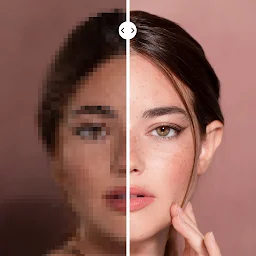
Instantly improve the quality of blurry or old photos. This feature transforms low-resolution images into high-definition results with a single tap.
All-in-one Photo Editor
Edit pictures with tools like cropping, filters, text, and frames. Users can also flip, rotate, and doodle on images for detailed customization.
How it works
- Select photos from your device gallery.
- Choose a layout, edit, and add decorative elements.
- Save the final collage or edited photo.
Who it is for
- Users wanting to combine multiple photos into a single image.
- Individuals looking to enhance and stylize their pictures.
- Social media users creating content for platforms like Instagram.
- People desiring to create personalized photo frames and scrapbooks.
Important information
- The app requests storage permissions to access and save photos.
- Users can share creations directly to social media platforms.
- For issues, contact photostudio.feedback@gmail.com; check store for updates.
Overall assessment
Collage Maker offers robust tools for creating photo collages and editing images, suitable for social media enthusiasts and hobbyists. Its wide range of layouts and customization options provide creative flexibility for various photographic projects.