



About this app
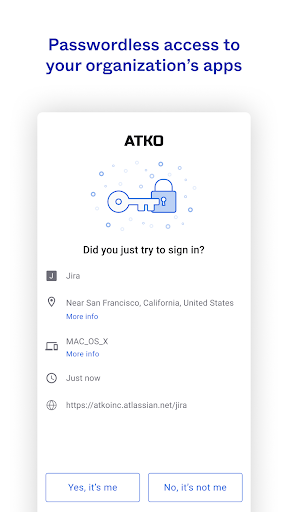
Okta Verify is a security app for secure app access. It uses two-step verification methods to ensure only authorized users can access their accounts.
Key features
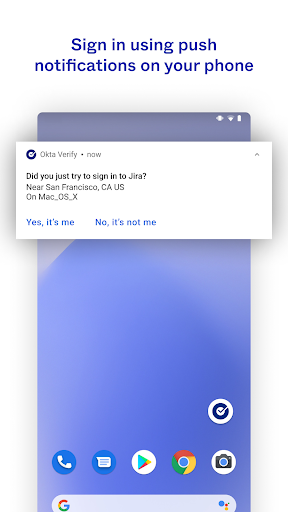
Push Notifications
Approve sign-in requests with a simple tap on your device when notified, streamlining the verification process for quick and easy access.
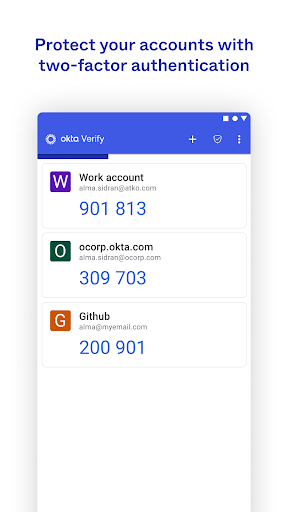
Time-based Codes
Generate temporary 6-digit codes that refresh periodically, providing an alternative verification method for secure logins when push is unavailable.
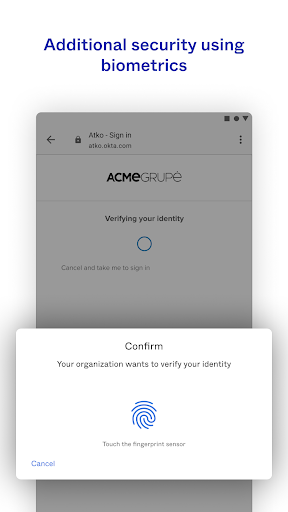
Biometric Verification
Use fingerprint or facial recognition to authenticate your identity, offering a fast and secure way to access your applications.
How it works
- Enroll your device by scanning a QR code.
- Choose your preferred verification method (push, code, or biometrics).
- Complete the two-step verification to access your applications.
Who it is for
- Users needing to secure access to company applications.
- Individuals requiring multi-factor authentication for online accounts.
- Employees needing to log in remotely and securely.
- Organizations implementing enhanced security protocols for their staff.
Important information
- The app requires camera permission for initial device enrollment via QR code scanning.
- Some verification methods like push notifications and biometrics depend on organizational configuration.
- Check the official store listing for the most up-to-date information on device compatibility and features.
Overall assessment
Okta Verify provides essential two-step verification for secure app access, supporting users who need to protect their accounts. Its multiple verification options cater to various user preferences and organizational settings.