


About this app
App Lock is a security application that helps users protect their private data by locking specific applications on their mobile devices with a PIN, pattern, or fingerprint.
Key features
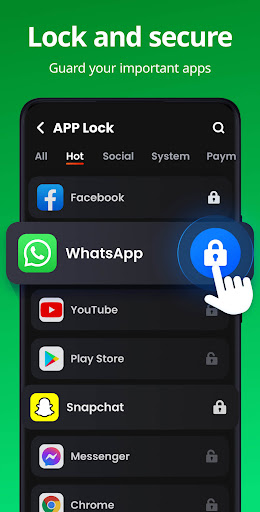
Secure App Locking
Lock social media, gallery, or financial apps to prevent unauthorized access. This function ensures your personal information remains private from others.
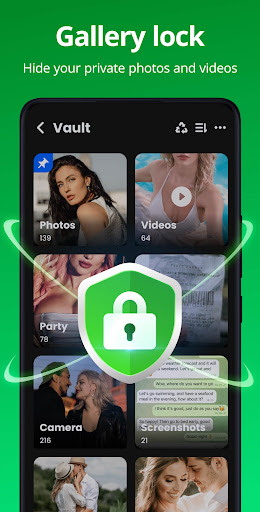
Hidden File Vault
Safely hide private photos and videos in a secure vault. Only accessible with a password, this keeps your personal memories completely hidden from view.
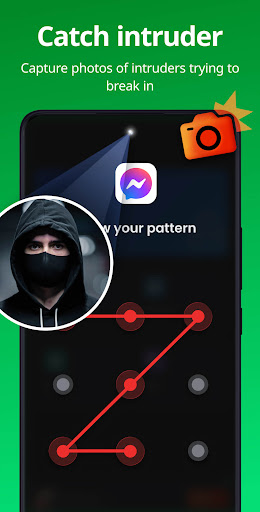
Intruder Alert
Automatically capture a selfie of anyone attempting to access locked apps with an incorrect password. This deters unauthorized entry and identifies potential snoops.
How it works
- Open App Lock and set your initial PIN, pattern, or fingerprint.
- Select the applications you wish to secure from the provided list.
- Choose your preferred locking method for each selected app.
Who it is for
- Users concerned about privacy on their smartphones.
- Individuals who share their devices with family or friends.
- People wanting to prevent accidental in-app purchases.
- Those who wish to safeguard sensitive photos and videos.
Important information
- The app requires 'All Files Access' permission to function correctly for file hiding.
- Users can set a recovery email to reset their password if forgotten.
- Users should check the official store listing for the latest information on compatibility and features.
Overall assessment
App Lock provides essential security features for safeguarding personal data, including app locking and a private vault. It is suitable for privacy-conscious individuals seeking to control access to sensitive information on their devices.