






About this app
The Tapo app is a smart home control application. It allows users to easily set up and manage their Tapo smart devices remotely from their smartphone.
Key features
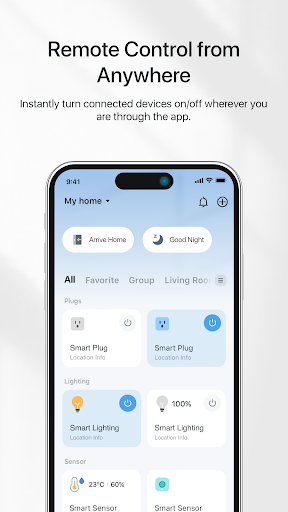
Remote Device Control
Manage your smart devices from anywhere with an internet connection. This function is useful for checking status or making changes when you are away from home.
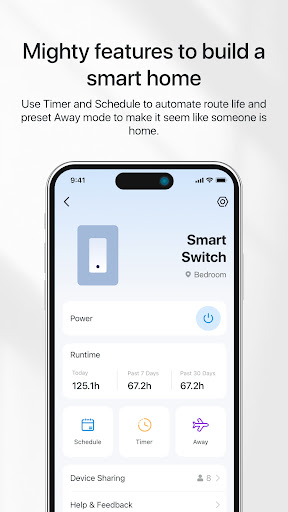
Scheduling and Timers
Automate device operation by setting custom schedules or countdown timers. Users can ensure devices turn on or off at specific times for convenience and energy saving.
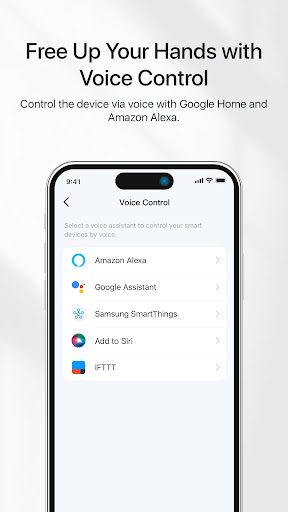
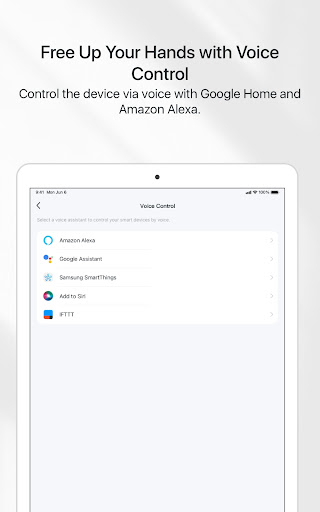
Voice Command Integration
Control devices using voice commands through Google Home and Amazon Echo. This offers hands-free operation for added convenience in daily routines.
How it works
- Install the Tapo app and create an account.
- Follow the in-app instructions to add and configure your Tapo smart devices.
- Control your devices remotely through the app's intuitive interface.
Who it is for
- Users who own Tapo smart home devices.
- Individuals seeking remote control over their home electronics.
- People interested in automating home device operations.
- Households looking to manage devices together.
Important information
- An internet connection is required for remote access and device management.
- The app allows inviting family members to manage devices collaboratively.
- Check the official app store listing for the latest compatibility information.
Overall assessment
Tapo provides essential remote control and automation for its smart devices. It caters to users managing multiple smart home products, offering convenience through scheduling and voice commands.