





About this app
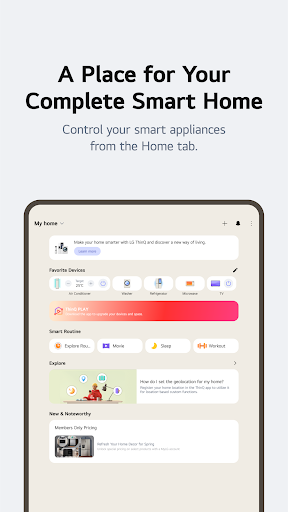
LG ThinQ is a smart home app connecting your LG IoT appliances. It provides remote control, smart care, and automation features for a more convenient living experience.
Key features
Remote Appliance Control
Manage your LG smart appliances from anywhere using your smartphone. This allows for convenient adjustments and monitoring, ensuring your home runs smoothly.
Smart Routines Creation
Automate daily tasks by setting up custom routines. For example, schedule lights and air purifiers to turn on upon waking for increased comfort.
Energy Monitoring
Track and compare your home's energy consumption. Set energy-saving goals and receive notifications to help you use power more efficiently.
How it works
- Download and install the LG ThinQ app on your smartphone.
- Connect your compatible LG smart appliances through the app's guided setup.
- Control and manage your connected devices remotely.
Who it is for
- Owners of LG smart home appliances.
- Users seeking remote control for their devices.
- Individuals interested in home automation and energy saving.
- People who want centralized management of their smart home.
Important information
- Service and feature availability may vary by product model and region.
- Optional permissions are required for certain features, but basic functions work without them.
- Check the official store listing for the most current information on device compatibility and permissions.
Overall assessment
LG ThinQ offers a centralized platform for managing LG smart appliances, providing remote control, automation, and energy insights. It is useful for LG appliance owners seeking a connected home experience.