





About this app
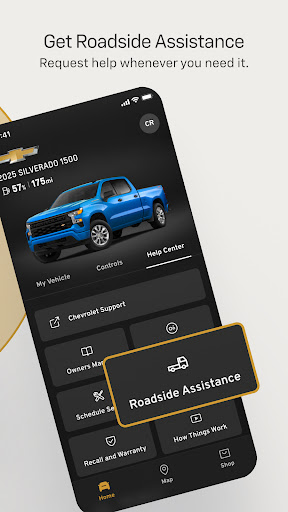
The myChevrolet app, powered by OnStar, allows users to remotely manage their vehicles. This connected car application helps drivers control key functions and monitor vehicle status from their smartphones.
Key features
Remote Vehicle Control
Start your car, adjust cabin temperature, and lock or unlock doors remotely. This function is ideal for preparing your vehicle before you get in, ensuring comfort and security.
Vehicle Location
Easily find your parked car using the app. It provides directions to your vehicle's location, simplifying the process of locating it in large parking lots or unfamiliar areas.
Vehicle Health Monitoring
Check essential vehicle information like fuel level, tire pressure, and oil life. This helps drivers stay informed about their car's condition and plan maintenance proactively.
How it works
- Download and install the myChevrolet app.
- Connect the app to your Chevrolet vehicle.
- Access and manage your vehicle's features remotely.
Who it is for
- Chevrolet owners with compatible vehicles.
- Drivers who want remote vehicle access.
- Individuals seeking to monitor car health easily.
- Users needing to locate their parked vehicle quickly.
Important information
- App functionality requires a data connection and is available on select devices.
- Service availability and features vary based on vehicle model and subscription plan.
- Check the official store listing for detailed compatibility and regional service information.
Overall assessment
The myChevrolet app provides Chevrolet owners with convenient remote vehicle management and monitoring. Its features are useful for drivers who prioritize easy access to car controls and status information, enhancing the ownership experience.